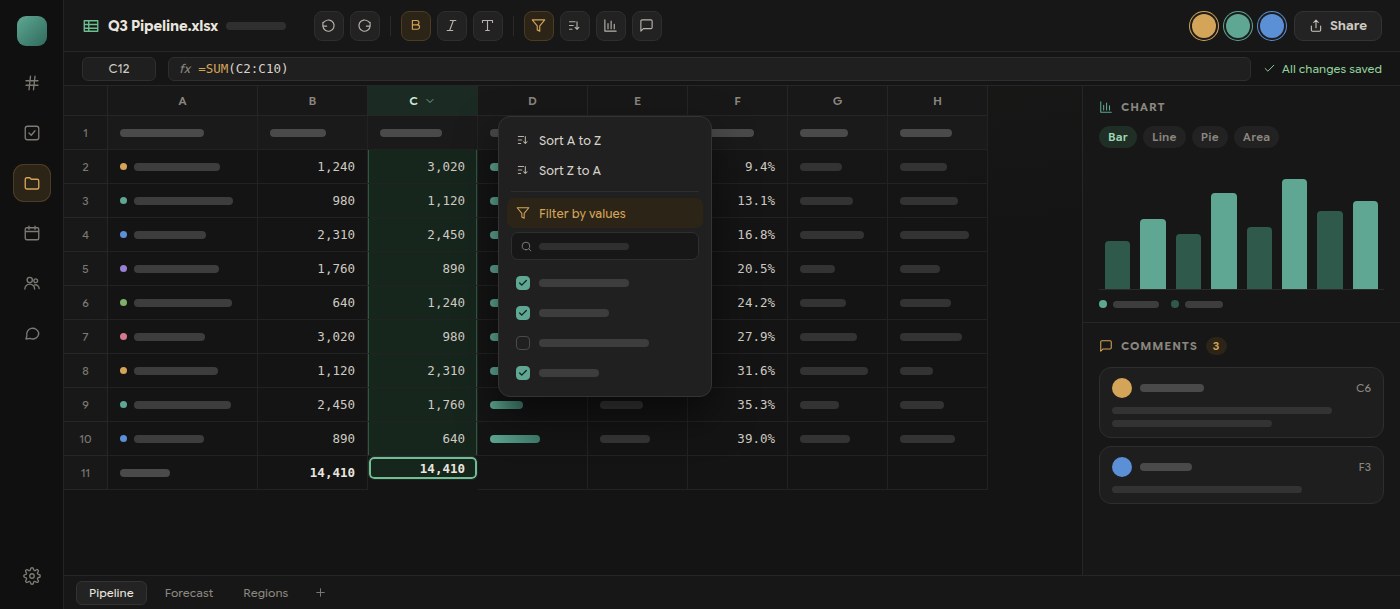
The spreadsheet editor in Polybase now covers the everyday work that used to send people back to a desktop app. Select a range and sort it by one or more columns, build value-list or condition filters, and apply borders and number formats. Each action is a single undo step. Custom filters are prepared in the background, so typing stays responsive while a large sheet is being filtered.
Charts are authored from live, calculated ranges. Choose bar, line, pie, doughnut, area or scatter, point it at a range on any sheet, name and reorder the series, set colours and axis titles, then move, resize or delete the chart like any other object. Cell comments live in the document header and the cell menu and are kept per workbook revision, so a discussion stays attached to the numbers it refers to.
Underneath, workbooks are now protected by revision history: a stale save is rejected instead of silently overwriting a colleague's work, unsent edits are recovered from the device after an interrupted session, and XLSX calculation, dates and number formats round-trip more faithfully. Save status appears in the formula bar, rows and columns can be sized numerically, and find and replace works across the whole workbook.
- Sort a range by one or more columns, with a header option
- Value-list and condition filters prepared off the main thread
- Bar, line, pie, doughnut, area and scatter charts from live ranges
- Cell comments tied to the workbook revision
- Revision history, stale-save protection and on-device draft recovery