7 Slack alternatives
Team conversations, with a deployment you can choose.
Hosting models, what each tool genuinely does best, and one honest caveat apiece — including for our own product, which is on the list and clearly labelled.
Editorial update: 19 October 2026
What should your next tool do better?
Slack made team chat pleasant — and then the tool count, the integration sprawl and the notification load piled up. If chat is where your work starts but never where it finishes, or if compliance now asks where your messages physically live, looking around is reasonable.
This guide compares seven real alternatives. One of them is our own product; we say so on its card and keep the same honest-caveat rule for it as for everyone else.
A different tool for a different need
Start with your requirements, then compare the trade-offs.
Compare at a glance
| Explore the options | Best for | What to check |
|---|---|---|
| Microsoft Teams | Organisations using Microsoft 365 that want connected chat and meetings, subject to the licences they hold. | You inherit the whole ecosystem: licensing tiers, admin complexity and tight coupling to Microsoft services. |
| Mattermost | DevOps and platform teams that want Slack-style channels on their own infrastructure. | Chat-first by design: docs, project boards and email still live in other tools, and several enterprise features sit behind paid editions. |
| Zulip | Async-heavy, distributed teams that care about readable history more than real-time buzz. | The topic model is genuinely different; teams that don't adopt its discipline lose most of the benefit. |
| Rocket.Chat | Organisations that want open-source team chat and customer-facing messaging in one deployment. | The admin surface is large, and a number of advanced capabilities are reserved for paid plans. |
| Element (Matrix) | Organisations that value federation, E2EE and protocol-level openness above all else. | Running Matrix well is real operations work, and day-to-day polish — threads, search, admin UX — trails the centralised tools. |
| PolybaseOur product | Teams replacing Slack plus three or four satellite tools, and organisations that need a self-host option. | Polybase is not SOC 2 or ISO 27001 certified yet. OIDC SSO and SCIM 2.0 require tenant configuration and testing; native SAML is not supported. Check migration and integration requirements before switching. |
| Twist | Small remote teams that want slower, more thoughtful communication by design. | No self-hosting and no built-in video calls — real-time collaboration is intentionally out of scope. |
The seven contenders.
- Product website
Microsoft Teams
The Microsoft 365 default
Microsoft Teams provides chat, meetings and collaboration with Microsoft 365 services. Microsoft offers suites with and without Teams, so check your exact licences and any separate meeting or administration features. It is a hosted service, with no self-hosted Teams server edition.
- Best for
- Organisations using Microsoft 365 that want connected chat and meetings, subject to the licences they hold.
- Hosting model
- Microsoft cloud only — there is no self-hosted edition.
- What to check
- You inherit the whole ecosystem: licensing tiers, admin complexity and tight coupling to Microsoft services.
- Product website
Mattermost
Open-core chat for technical teams
Mattermost is an open-core messaging platform aimed squarely at technical and security-conscious teams, with strong DevOps workflows around incidents and playbooks. The free edition can run on your own servers, with advanced capabilities in paid editions.
- Best for
- DevOps and platform teams that want Slack-style channels on their own infrastructure.
- Hosting model
- Self-hosted (Docker/Kubernetes) or vendor-hosted cloud.
- What to check
- Chat-first by design: docs, project boards and email still live in other tools, and several enterprise features sit behind paid editions.
- Product website
Zulip
Topic-threaded chat for async teams
Zulip is open-source team chat built around one strong idea: every message belongs to a topic, so busy channels stay readable and asynchronous catch-up actually works. It is a favourite of distributed teams and open-source communities.
- Best for
- Async-heavy, distributed teams that care about readable history more than real-time buzz.
- Hosting model
- Self-hosted or Zulip Cloud.
- What to check
- The topic model is genuinely different; teams that don't adopt its discipline lose most of the benefit.
- Product website
Rocket.Chat
Open-source chat with an omnichannel twist
Rocket.Chat is one of the longest-running open-source Slack alternatives, with an unusual extra: omnichannel support for talking to customers on the same platform. It has a real footprint in public-sector and regulated environments.
- Best for
- Organisations that want open-source team chat and customer-facing messaging in one deployment.
- Hosting model
- Self-hosted or Rocket.Chat's hosted cloud.
- What to check
- The admin surface is large, and a number of advanced capabilities are reserved for paid plans.
- Product website
Element (Matrix)
Decentralised messaging on an open protocol
Element is the flagship client for Matrix, an open, decentralised protocol with federation and end-to-end encryption. Instead of trusting one company's server, you can run your own homeserver and still talk to the wider Matrix network.
- Best for
- Organisations that value federation, E2EE and protocol-level openness above all else.
- Hosting model
- Self-hosted homeserver or managed hosting from Element.
- What to check
- Running Matrix well is real operations work, and day-to-day polish — threads, search, admin UX — trails the centralised tools.
- Product website
Polybase
Our productThe sovereign team workspace
Polybase folds chat, calls, tasks, docs, email and workflow automation into one workspace instead of a chat tool plus a belt of integrations. It runs as EU-region cloud, in your own VPC, or fully self-hosted — including air-gapped setups where it runs fully offline (calls run inside the same network). Pricing is plain: Core at €10 per user/month, optional add-ons on top.
Full disclosure: Polybase is our product. Read this entry as the maker's perspective — the caveat below is as real as everyone else's.
- Best for
- Teams replacing Slack plus three or four satellite tools, and organisations that need a self-host option.
- Hosting model
- EU cloud, private VPC, or self-hosted / air-gapped.
- What to check
- Polybase is not SOC 2 or ISO 27001 certified yet. OIDC SSO and SCIM 2.0 require tenant configuration and testing; native SAML is not supported. Check migration and integration requirements before switching.
- Product website
Twist
Deliberately calm, async-first messaging
Twist, made by Doist, is the calm outlier: threads-first and deliberately asynchronous, designed so nobody feels forced to be online. There is no presence light pressuring you to reply now.
- Best for
- Small remote teams that want slower, more thoughtful communication by design.
- Hosting model
- SaaS only.
- What to check
- No self-hosting and no built-in video calls — real-time collaboration is intentionally out of scope.
Five questions worth asking before you switch.
- 01
Where does your data live?
Cloud-only, or can you run it on your own servers — in your region, under your keys?
- 02
How much of the work does it cover?
Chat alone, or also the tasks, docs and calls that chat keeps pointing at?
- 03
What does the pricing model reward?
Per-user plans are fine — per-user plans plus five paid satellite tools are how sprawl happens.
- 04
What are your exit options?
Open source, data exports and standard formats decide how hard leaving will be later.
- 05
Who runs it on day two?
Self-hosting is freedom and a responsibility. The admin and ops story matters as much as the feature list.
Where Polybase fits
You are reading this list on our site, so here is the part vendors usually skip.
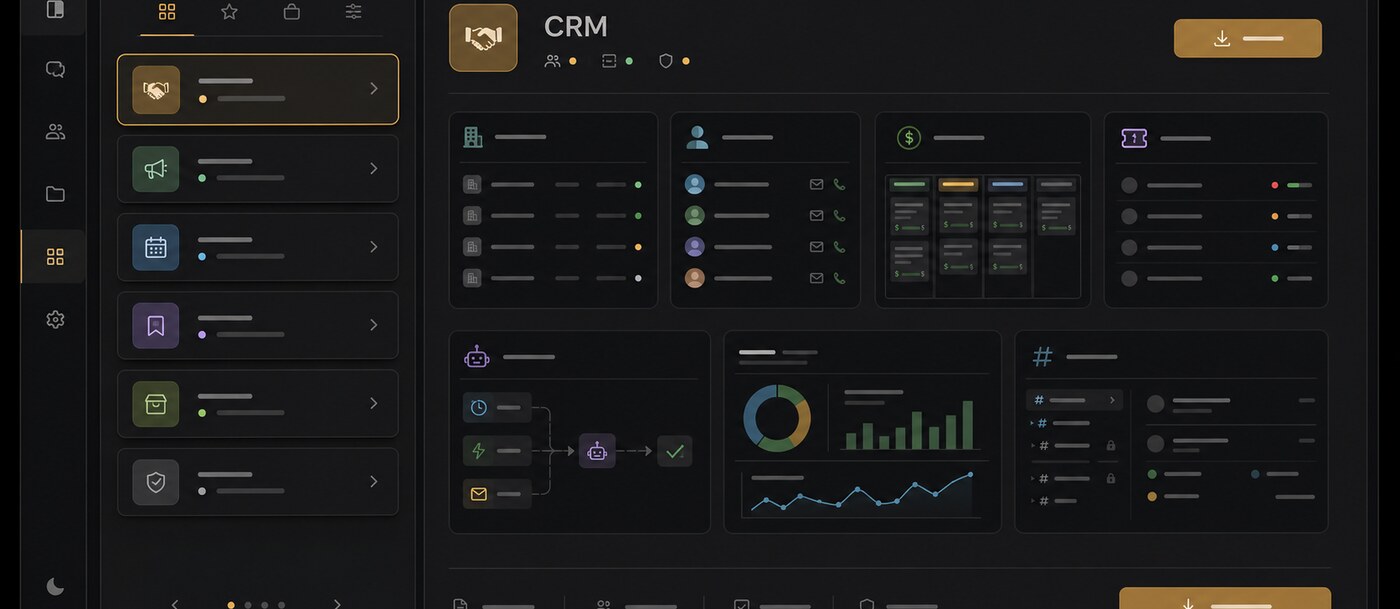
When it fits
One workspace, not a stack
Chat, calls, tasks, docs, email and automation share one data layer — a message becomes a tracked task without an integration in between.
Deployment freedom
EU-region cloud, your own VPC, or air-gapped self-host. It runs fully offline; calls run inside the same network.
Sovereignty by architecture
Self-hosting lets your team choose and operate the infrastructure, storage and encryption keys. Review provider access, external services and legal requirements separately.
Plain pricing
Core is €10 per user/month, with optional add-ons — instead of a chat bill plus a task-tool bill plus a docs bill.
AI on your terms
Bring your own model — Anthropic, OpenAI, Gemini or self-hosted via Ollama. Your content isn't used to train foundation models.
What to check
Certifications
Not certified yet — SOC 2 and ISO 27001 are on our roadmap. We answer security questionnaires and architecture questions today.
Enterprise sign-on
Tenant administrators can configure OIDC SSO providers and SCIM 2.0 provisioning. Test provider setup, verified-domain account mapping and sign-in policies in your deployment. Native SAML support is not included.
Ecosystem size
No app marketplace and no guided importers yet — we offer a REST API, an MCP server, GitHub and HubSpot connectors, and migration assistance during onboarding.
Choosing a Slack alternative.
What is the best Slack alternative in 2026?
It depends on your binding constraint. Need self-hosting: Mattermost, Rocket.Chat or Polybase. Want an open protocol with federation: Element on Matrix. Async-first culture: Zulip or Twist. Consolidating chat plus tasks, docs and calls into one workspace: that is the case Polybase is built for — we're biased, so read the side-by-side comparison too.
Which Slack alternatives are open source?
Mattermost, Rocket.Chat, Zulip and Element all have open-source editions you can self-host. Polybase is not open source, but it can be fully self-hosted, including air-gapped deployments.
Can we keep our Slack history when we switch?
Slack lets workspace admins export data, and most alternatives can work from that archive. Polybase offers migration assistance during onboarding; automated importers are on our roadmap. Many teams simply keep the export as a read-only archive and start clean.
Is Polybase compliant enough to replace Slack?
Polybase is designed around GDPR principles, with configurable role-based access control and self-hosting for full data control. SOC 2 and ISO 27001 are on the roadmap, not held yet — we answer security questionnaires and architecture questions today.
What does Polybase cost compared to Slack?
Polybase Core is €10 per user/month — chat, tasks, drive, calls and automation — with optional add-ons such as Canvas, Email, Tables and AI. Whether that beats your Slack bill depends on how many satellite tools it lets you retire; a demo walks through your actual stack.
Documentation and primary sources
Editorial update: 19 October 2026
- Microsoft Teams
- Mattermost
- Zulip
- Rocket.Chat
- Element (Matrix)
- Polybase
- Twist
- Microsoft: suites with and without Teams
Product names identify the tools being compared. No endorsement is implied.
See Polybase next to Slack, feature by feature.
Book a 30-minute demo and we'll map your current stack onto one workspace — or start with the detailed side-by-side comparison.
Continue your research
Compare another part of your team's toolkit.
Microsoft Teams
Compare chat, meetings and the tools around them.
Read the guideMicrosoft 365
Choose who operates your office suite and where data lives.
Read the guideSelf-hosted Slack
Run team messaging on infrastructure you operate.
Read the guideGather Town
A virtual office that suits your team's working day.
Read the guide