7 Microsoft Teams alternatives
Compare chat, meetings and the tools around them.
For teams that ended up in Teams because of a licence, not a decision. Seven options compared by hosting model, coverage and one honest caveat each — our own product included and labelled.
Editorial update: 19 October 2026
What should your next tool do better?
Microsoft Teams usually arrives with the Microsoft 365 licence, not with a decision. That is exactly why it deserves a re-decision: organisations outside the Microsoft stack wrestle with licensing tiers and the fact that there is no self-hosted edition at all.
This guide compares seven alternatives that stand on their own — without assuming your company lives in Outlook. One entry is our own product; it is labelled, and it gets the same honest caveat as the rest.
A different tool for a different need
Start with your requirements, then compare the trade-offs.
Compare at a glance
| Explore the options | Best for | What to check |
|---|---|---|
| Slack | Teams prioritising channel conversations, native lightweight collaboration and an integration ecosystem. | No self-hosted server edition. Check the chosen plan’s history, guest access, security controls and collaboration limits before replacing other tools. |
| Google Workspace (Chat + Meet) | Gmail-first organisations that want chat and meetings included in the suite they already pay for. | Chat is one component of the suite rather than its centre of gravity, and the whole experience assumes you stay inside Google's suite. |
| Zoom Workplace | Meeting-heavy organisations that choose their platform by call quality first. | Collaboration outside the meeting — chat, tasks, docs — is a newer layer around the meeting core. |
| Mattermost | Engineering organisations replacing Teams chat with something they can run themselves. | Chat-first by design: docs, boards and email still live elsewhere, and several enterprise features sit behind paid editions. |
| Rocket.Chat | Public-sector and regulated organisations that need open-source chat under their own control. | The admin surface is large, and a number of advanced capabilities are reserved for paid plans. |
| Element (Matrix) | Organisations for which federation, E2EE and protocol openness outrank product polish. | Running Matrix well is real operations work, and everyday polish — threads, search, admin UX — trails centralised tools. |
| PolybaseOur product | Organisations leaving the Microsoft ecosystem entirely, and teams that need chat, meetings and work tools without a suite dependency. | Polybase is not SOC 2 or ISO 27001 certified yet. OIDC SSO and SCIM 2.0 require tenant configuration and testing; native SAML is not supported. Check migration and integration requirements before switching. |
The seven contenders.
- Product website
Slack
Channel-based messaging with native collaboration tools
Slack combines channels and direct messages with canvases, lists, huddles and app integrations. It can suit teams that organise communication around channels and need connections to their existing tools. Feature availability and limits depend on the plan.
- Best for
- Teams prioritising channel conversations, native lightweight collaboration and an integration ecosystem.
- Hosting model
- Slack’s hosted service; no self-hosted server edition.
- What to check
- No self-hosted server edition. Check the chosen plan’s history, guest access, security controls and collaboration limits before replacing other tools.
- Product website
Google Workspace (Chat + Meet)
The Gmail-native bundle
Google Chat and Meet come bundled with Workspace and are wired tightly into Gmail, Calendar and Docs. For organisations already on Gmail, it is the closest thing to a zero-migration alternative to Teams.
- Best for
- Gmail-first organisations that want chat and meetings included in the suite they already pay for.
- Hosting model
- Google cloud only.
- What to check
- Chat is one component of the suite rather than its centre of gravity, and the whole experience assumes you stay inside Google's suite.
- Product website
Zoom Workplace
Meetings-first collaboration
Zoom has grown from a meetings app into Zoom Workplace: video-first collaboration with team chat, whiteboard and scheduling around its core product. Meeting quality and reliability remain the draw.
- Best for
- Meeting-heavy organisations that choose their platform by call quality first.
- Hosting model
- SaaS.
- What to check
- Collaboration outside the meeting — chat, tasks, docs — is a newer layer around the meeting core.
- Product website
Mattermost
Open-core chat for technical teams
Mattermost is an open-core messaging platform for technical and security-conscious teams, with strong DevOps workflows around incidents and playbooks. The free edition can run on your own servers, with advanced capabilities in paid editions.
- Best for
- Engineering organisations replacing Teams chat with something they can run themselves.
- Hosting model
- Self-hosted (Docker/Kubernetes) or vendor-hosted cloud.
- What to check
- Chat-first by design: docs, boards and email still live elsewhere, and several enterprise features sit behind paid editions.
- Product website
Rocket.Chat
Open-source chat with an omnichannel twist
Rocket.Chat is a long-running open-source messaging platform with a real footprint in public-sector and regulated environments, plus omnichannel support for customer-facing conversations on the same deployment.
- Best for
- Public-sector and regulated organisations that need open-source chat under their own control.
- Hosting model
- Self-hosted or Rocket.Chat's hosted cloud.
- What to check
- The admin surface is large, and a number of advanced capabilities are reserved for paid plans.
- Product website
Element (Matrix)
Decentralised messaging on an open protocol
Element is the flagship client for the open Matrix protocol: decentralised, federated and end-to-end encrypted. You can run your own homeserver and still communicate across the wider Matrix network.
- Best for
- Organisations for which federation, E2EE and protocol openness outrank product polish.
- Hosting model
- Self-hosted homeserver or managed hosting from Element.
- What to check
- Running Matrix well is real operations work, and everyday polish — threads, search, admin UX — trails centralised tools.
- Product website
Polybase
Our productThe sovereign team workspace
Polybase brings chat, calls, tasks, docs, email and workflow automation into one workspace. Calls use browser-based WebRTC through a self-hosted LiveKit media server, encrypted in transit with DTLS-SRTP. Screen sharing and background effects depend on device support; live captions need a configured speech provider. Choose EU-region cloud, private VPC or self-hosting. Core is €10 per user/month with optional add-ons.
Full disclosure: Polybase is our product. Read this entry as the maker's perspective — the caveat below is as real as everyone else's.
- Best for
- Organisations leaving the Microsoft ecosystem entirely, and teams that need chat, meetings and work tools without a suite dependency.
- Hosting model
- EU-region cloud, private VPC or self-hosted. Offline calls require LiveKit inside the same network.
- What to check
- Polybase is not SOC 2 or ISO 27001 certified yet. OIDC SSO and SCIM 2.0 require tenant configuration and testing; native SAML is not supported. Check migration and integration requirements before switching.
Five questions for life after Teams.
- 01
Does it work outside one vendor's world?
A Teams alternative should not require another suite to be useful. Standalone value first, integrations second.
- 02
Where does your data live?
Teams is cloud-only. If data residency or self-hosting is on your requirements list, the field narrows fast.
- 03
Are chat and meetings both first-class?
Many tools do one well. Day-to-day work needs threaded chat and decent calls in the same place.
- 04
How much of the work does it cover?
Tasks, docs and files — bundled coherently, or scattered across Planner-style companion apps?
- 05
Is the pricing legible?
You should be able to predict next year's bill without a licensing consultant.
Where Polybase fits
You are reading this list on our site, so here is the part vendors usually skip.
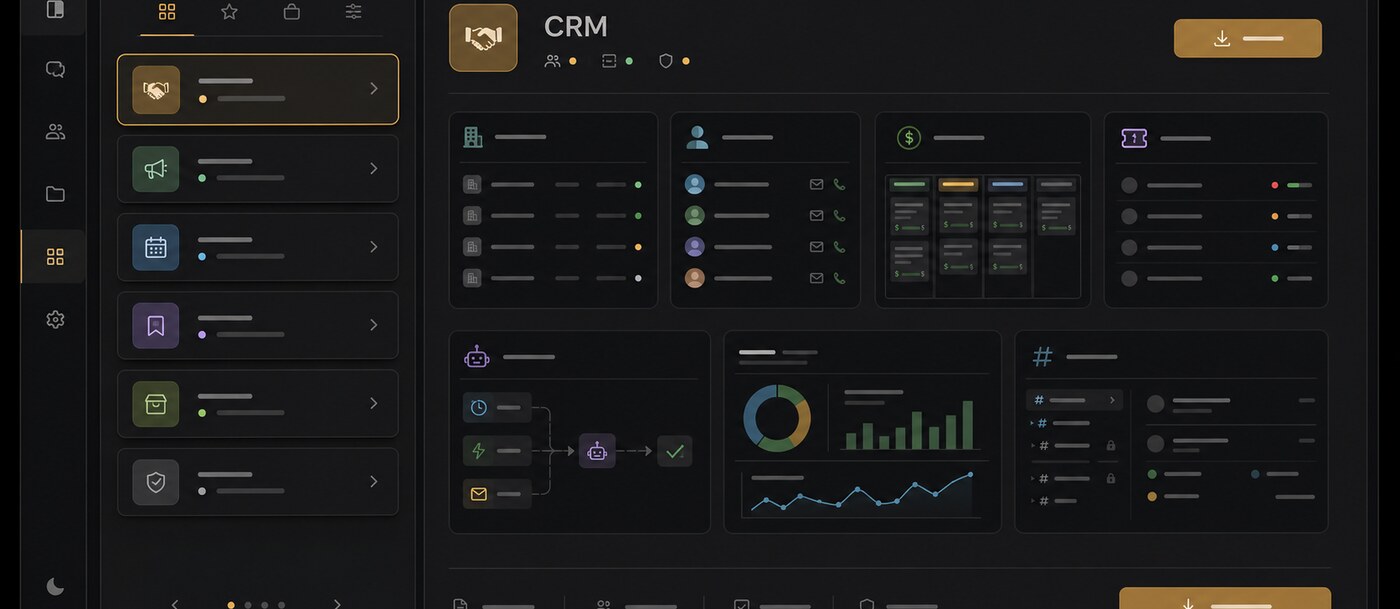
When it fits
No suite required
Chat, meetings, tasks, docs and email work as one product — no Planner, SharePoint or OneDrive constellation to license and administer.
Deployment freedom Teams doesn't offer
EU-region cloud, private VPC or self-hosted. Offline calls require a self-hosted LiveKit server inside the same network; speech and recording services must fit the deployment's network requirements.
Sovereignty by architecture
Self-hosting lets your team choose and operate the infrastructure, storage and encryption keys. Review provider access, external services and legal requirements separately.
Legible pricing
Core at €10 per user/month plus optional add-ons — a bill you can predict without a licensing matrix.
AI on your terms
Bring your own model — Anthropic, OpenAI, Gemini or self-hosted via Ollama. Your content isn't used to train foundation models.
What to check
Certifications
Not certified yet — SOC 2 and ISO 27001 are on our roadmap. We answer security questionnaires and architecture questions today.
Enterprise sign-on
Tenant administrators can configure OIDC SSO providers and SCIM 2.0 provisioning. Test provider setup, verified-domain account mapping and sign-in policies in your deployment. Native SAML support is not included.
Ecosystem size
No app marketplace and no guided importers yet — we offer a REST API, an MCP server, GitHub and HubSpot connectors, and migration assistance during onboarding.
Leaving Microsoft Teams.
What is the best Microsoft Teams alternative?
Match the tool to your constraint. Leaving the Microsoft ecosystem entirely: Polybase or Slack. Keeping meetings quality as the priority: Zoom Workplace. Needing self-hosting: Mattermost, Rocket.Chat, Element or Polybase. Already on Gmail: Google Workspace is the pragmatic bundle.
Can we replace Teams but keep Microsoft 365 for Office files?
Yes. Replacing Teams doesn't require abandoning Word or Excel. In Polybase you can link and preview Office documents (with built-in DOCX/XLSX/PPTX viewers), and connect Microsoft 365 email accounts via OAuth during a gradual transition.
Is there a self-hosted alternative to Microsoft Teams?
Teams itself has no self-hosted edition. Mattermost, Rocket.Chat and Element all offer open-source self-hosting; Polybase offers commercial self-hosting; offline calls require a self-hosted LiveKit server inside the same network.
How do Polybase meetings compare to Teams meetings?
Polybase uses WebRTC via a self-hosted LiveKit media server, encrypted in transit, with screen sharing, noise suppression and background blur. Eligible channel/DM and meeting calls support explicit recording with enabled LiveKit Egress, S3-compatible recording storage and participant permissions. Captions and recording transcripts require configured speech providers. Automatic AI summaries and action items are not available.
What does switching from Teams cost?
Polybase Core is €10 per user/month, with add-ons like Canvas, Email, Tables and AI priced separately. Self-hosted and enterprise deployments are custom — talk to us. Whether it beats a Microsoft 365 bill depends on which parts of the suite you actually use.
Documentation and primary sources
Editorial update: 19 October 2026
- Slack
- Google Workspace (Chat + Meet)
- Zoom Workplace
- Mattermost
- Rocket.Chat
- Element (Matrix)
- Polybase
- Microsoft: suites with and without Teams
- Slack: native canvases
- Slack: lists and plan availability
Product names identify the tools being compared. No endorsement is implied.
See Polybase next to Teams, feature by feature.
Book a 30-minute demo and we'll map your Teams setup onto one workspace — or start with the detailed side-by-side comparison.
Continue your research
Compare another part of your team's toolkit.
Slack
Team conversations, with a deployment you can choose.
Read the guideMicrosoft 365
Choose who operates your office suite and where data lives.
Read the guideSelf-hosted Slack
Run team messaging on infrastructure you operate.
Read the guideGather Town
A virtual office that suits your team's working day.
Read the guide