6 Self-hosted Slack alternatives
Run team messaging on infrastructure you operate.
When the requirement is "our chat runs on our infrastructure", the shortlist gets short fast. Six real options — including our own product, clearly labelled — with the ops realities spelled out.
Editorial update: 19 October 2026
What should your next tool do better?
If your team must operate its own messaging infrastructure, Slack does not offer a self-hosted server edition. Compare dedicated messaging tools and wider collaboration platforms by the deployment, identity, backup and communication requirements you need.
The good news is that the self-hosted field has matured. This guide compares six tools you can genuinely run on your own servers — one of them ours, labelled as such — with the operational cost stated as plainly as the benefits.
A different tool for a different need
Start with your requirements, then compare the trade-offs.
Compare at a glance
| Explore the options | Best for | What to check |
|---|---|---|
| Mattermost | DevOps and platform teams that want a proven, well-documented self-hosted chat server. | It self-hosts chat, not your whole stack — docs, boards and email remain separate services — and several enterprise features are paid. |
| Zulip | Async-heavy teams that want self-hosted chat with genuinely readable history. | The topic model asks for discipline, and beyond chat you still self-host everything else separately. |
| Rocket.Chat | Public-sector and regulated organisations with formal deployment requirements. | The admin surface is large, and a number of advanced capabilities are reserved for paid plans. |
| Element (Matrix) | Organisations that want federation and E2EE, and have the ops maturity to run a homeserver. | Plan homeserver maintenance, federation settings and encrypted-account recovery. Test the specific deployment’s search, threading and administration workflows instead of assuming feature parity with Slack. |
| Nextcloud Talk | Organisations already invested in Nextcloud for files and groupware. | Chat and calls are companions to the file platform rather than its core — dedicated chat tools go deeper on chat, and larger call setups need extra components. |
| PolybaseOur product | Organisations that want to self-host one workspace instead of a chat server plus four more services. | Polybase is commercial software, not open source. SOC 2 and ISO 27001 certifications are on the roadmap and are not held. Tenant administrators can configure OIDC SSO and SCIM 2.0, but native SAML is not supported; test your provider and sign-in policies before migration. |
The six contenders.
- Product website
Mattermost
The DevOps default for self-hosted chat
Mattermost is the name most engineering teams reach for first: open-core, deployable via Docker or Kubernetes, with strong incident and playbook workflows. Its documentation and operational tooling reflect years of production self-hosting.
- Best for
- DevOps and platform teams that want a proven, well-documented self-hosted chat server.
- Hosting model
- Self-hosted (Docker/Kubernetes); vendor cloud also available.
- What to check
- It self-hosts chat, not your whole stack — docs, boards and email remain separate services — and several enterprise features are paid.
- Product website
Zulip
Self-hosted chat your future self can read
Zulip's topic-based threading keeps high-volume channels readable years later, and its self-hosted edition is a first-class citizen with a well-maintained installer and upgrade path. Distributed teams and open-source communities run it at serious scale.
- Best for
- Async-heavy teams that want self-hosted chat with genuinely readable history.
- Hosting model
- Self-hosted or Zulip Cloud.
- What to check
- The topic model asks for discipline, and beyond chat you still self-host everything else separately.
- Product website
Rocket.Chat
Open-source chat with a public-sector track record
Rocket.Chat has been self-hosted in government, defence and regulated industries for years, and adds omnichannel customer messaging to the same deployment. The open-source core is genuinely capable on its own.
- Best for
- Public-sector and regulated organisations with formal deployment requirements.
- Hosting model
- Self-hosted or Rocket.Chat's hosted cloud.
- What to check
- The admin surface is large, and a number of advanced capabilities are reserved for paid plans.
- Product website
Element (Matrix)
Run your own node of an open network
Self-hosting Matrix means running a homeserver such as Synapse and joining a federated, end-to-end encrypted network — the most radical answer to vendor dependence on this list. Element provides the polished client on top.
- Best for
- Organisations that want federation and E2EE, and have the ops maturity to run a homeserver.
- Hosting model
- Self-hosted homeserver or managed hosting from Element.
- What to check
- Plan homeserver maintenance, federation settings and encrypted-account recovery. Test the specific deployment’s search, threading and administration workflows instead of assuming feature parity with Slack.
- Product website
Nextcloud Talk
Chat and calls inside the Nextcloud platform
Nextcloud Talk adds chat and calls to the open-source Nextcloud file platform, which is widely deployed across European public administration and education. If you already run Nextcloud, Talk is one app-install away.
- Best for
- Organisations already invested in Nextcloud for files and groupware.
- Hosting model
- Self-hosted (or hosting via Nextcloud providers).
- What to check
- Chat and calls are companions to the file platform rather than its core — dedicated chat tools go deeper on chat, and larger call setups need extra components.
- Product website
Polybase
Our productOne self-hosted workspace, not one self-hosted chat
Polybase self-hosts an entire workspace — chat, calls, tasks, docs, email, tables and automation — in a single deployment, single tenant per instance. It runs fully offline in air-gapped networks; calls run inside the same network. Backups are standard and portable, with uploaded files on storage you control and covered by your existing backups.
Full disclosure: Polybase is our product. Read this entry as the maker's perspective — the caveat below is as real as everyone else's.
- Best for
- Organisations that want to self-host one workspace instead of a chat server plus four more services.
- Hosting model
- Self-hosted / air-gapped; EU cloud and private VPC also offered.
- What to check
- Polybase is commercial software, not open source. SOC 2 and ISO 27001 certifications are on the roadmap and are not held. Tenant administrators can configure OIDC SSO and SCIM 2.0, but native SAML is not supported; test your provider and sign-in policies before migration.
Five questions for a self-hosted shortlist.
- 01
Is self-hosting the real product?
First-class deployment path with documentation and support — or a community edition kept at arm's length?
- 02
Can it run air-gapped?
Fully offline networks are the hardest test: no callbacks, no license pings, no CDN dependencies.
- 03
What is the day-two ops burden?
Upgrades, backups, monitoring. A chat server you dread upgrading is a liability, not an asset.
- 04
How much beyond chat do you get?
Every extra tool you self-host is another service to patch. Coverage per deployment matters double here.
- 05
How is it licensed?
Open source, open core or commercial — what matters is knowing which features sit where before you commit.
Where Polybase fits
You are reading this list on our site, so here is the part vendors usually skip.
When it fits
One deployment, whole workspace
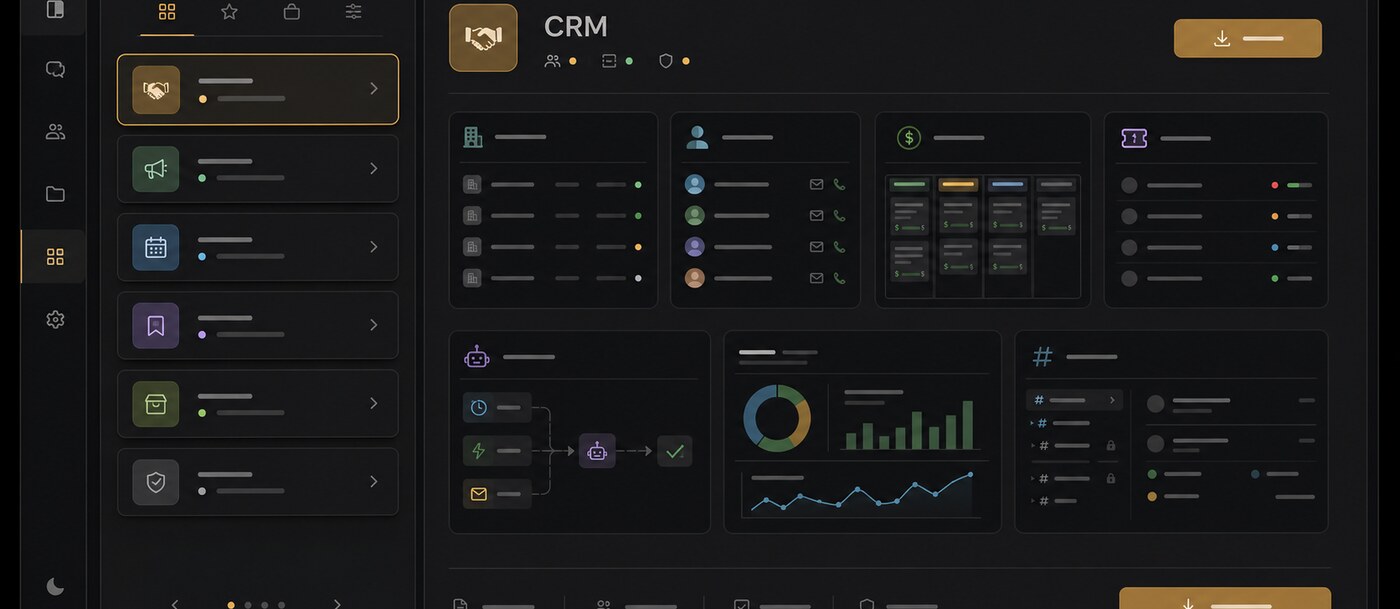
Chat, calls, tasks, docs, email, tables and automation in a single deployment — one service to patch instead of five.
A real air-gap story
Polybase runs fully offline; calls run inside the same network. No callbacks, no license pings.
Sovereignty by architecture
Self-hosting lets your team choose and operate the infrastructure, storage and encryption keys. Review provider access, external services and legal requirements separately.
Boring, portable backups
Standard, portable database backups; uploaded files stay on storage you control and are covered by your existing backups.
AI that stays inside
Bring your own model — including self-hosted via Ollama or LocalAI — so even the assistant can stay on your infrastructure.
What to check
Not open source
Polybase is commercial software you can self-host. If open-source licensing is a hard requirement, Mattermost, Rocket.Chat, Zulip, Element and Nextcloud are the list.
Certifications
Not certified yet — SOC 2 and ISO 27001 are on our roadmap. We answer security questionnaires and architecture questions today.
Enterprise sign-on
Tenant administrators can configure OIDC SSO providers and SCIM 2.0 provisioning. Test provider setup, verified-domain account mapping and sign-in policies in your deployment. Native SAML support is not included.
Ecosystem and apps
There is no app marketplace or guided importer. Polybase is available on desktop, mobile, web and as an installable PWA.
Self-hosting your team chat.
Can Polybase run fully air-gapped?
Yes. Polybase installs and runs fully offline; calls run inside the same network.
Is Polybase open source?
No — Polybase is commercial software with a first-class self-host option. On this list, Mattermost, Rocket.Chat, Zulip, Element and Nextcloud offer open-source editions.
What does operating Polybase look like day to day?
A single-tenant self-hosted deployment per instance. Backups work with the tools you already use; uploaded files stay on storage you control and are covered by your existing backups. Self-hosted deployments come with deployment help on request.
How is self-hosted Polybase priced?
Self-hosted and enterprise deployments are custom — talk to us. For reference, our cloud starts at €10 per user/month for Core, with optional add-ons.
Does self-hosting actually help with GDPR?
Self-hosting lets your organisation choose and operate the infrastructure and storage. It also makes updates, backups, access configuration and external-service review your responsibility. Polybase is designed around GDPR principles; deployment location alone does not establish compliance with your requirements.
Documentation and primary sources
Editorial update: 19 October 2026
Product names identify the tools being compared. No endorsement is implied.
See what a self-hosted workspace replaces.
Book a 30-minute demo and we'll walk through the deployment model on your infrastructure — or start with the detailed Slack comparison.
Continue your research
Compare another part of your team's toolkit.
Slack
Team conversations, with a deployment you can choose.
Read the guideMicrosoft Teams
Compare chat, meetings and the tools around them.
Read the guideMicrosoft 365
Choose who operates your office suite and where data lives.
Read the guideGather Town
A virtual office that suits your team's working day.
Read the guide