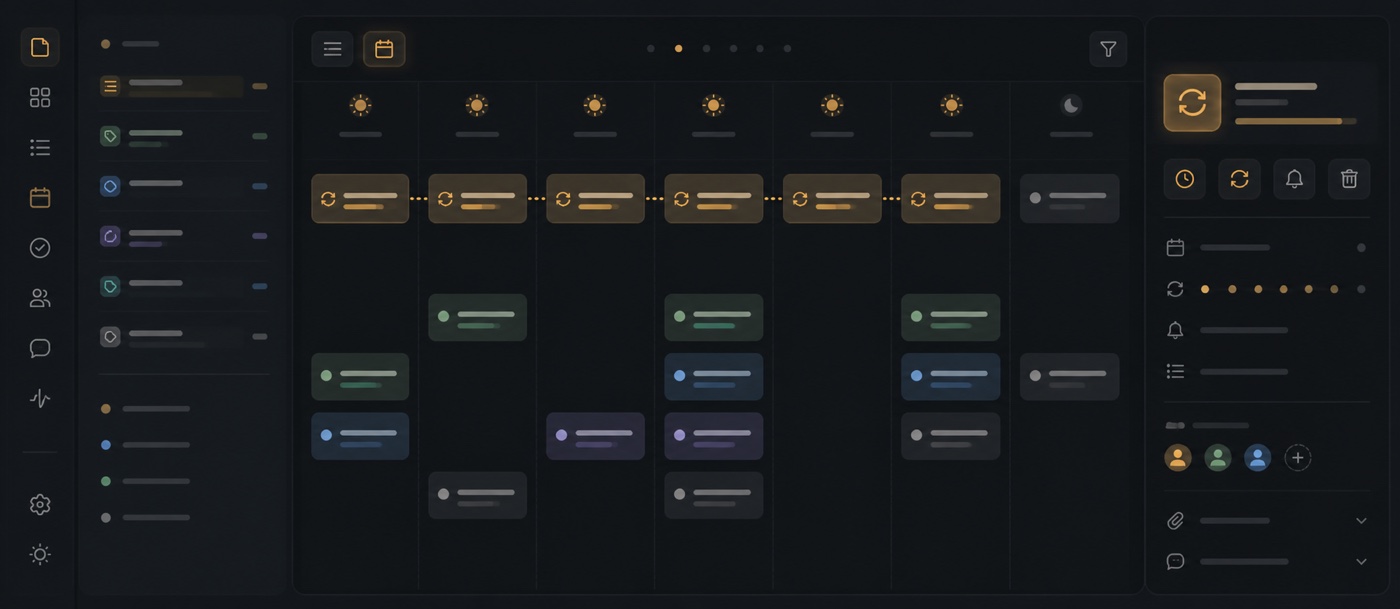
Tasks can now be scheduled before they need to exist. Choose a single future time, a set of specific dates or a recurring pattern, and Polybase creates each task when its planned time arrives. Schedules follow the chosen timezone and can be paused without deleting their setup.
Recurring work can follow the calendar — daily, weekly, monthly or yearly — or wait until the current task is completed before starting the next interval. Planned occurrences appear as previews in task views, so teams can see upcoming work and its next creation time without turning every future occurrence into an active task early.
A schedule also defines what happens when an occurrence is left unfinished. Keep it in place or move it to another status at the configured point. When a series changes, edits and deletions can target only one occurrence, that occurrence and everything after it, or the whole series.
- Create once, on selected dates or on a recurring schedule
- Repeat from the planned date or from the previous completion
- Preview future occurrences before they become active tasks
- Choose how unfinished occurrences are handled
- Edit or delete one occurrence, future occurrences or the full series