Polybase Email has grown into a full mail client. This release redesigns how mail is read and written, and lets you connect existing external mailboxes over IMAP — so internal workspace mail and the mail you already receive elsewhere arrive in a single inbox, one click away from Chat and Tasks.
Email is where most of a team's outside world happens: customers, suppliers, applicants, invoices. A workspace that wants to replace the browser-tab shuffle cannot treat it as an afterthought — which is why Email now behaves like a mail client you would choose on its own merits, not just a place where messages land.
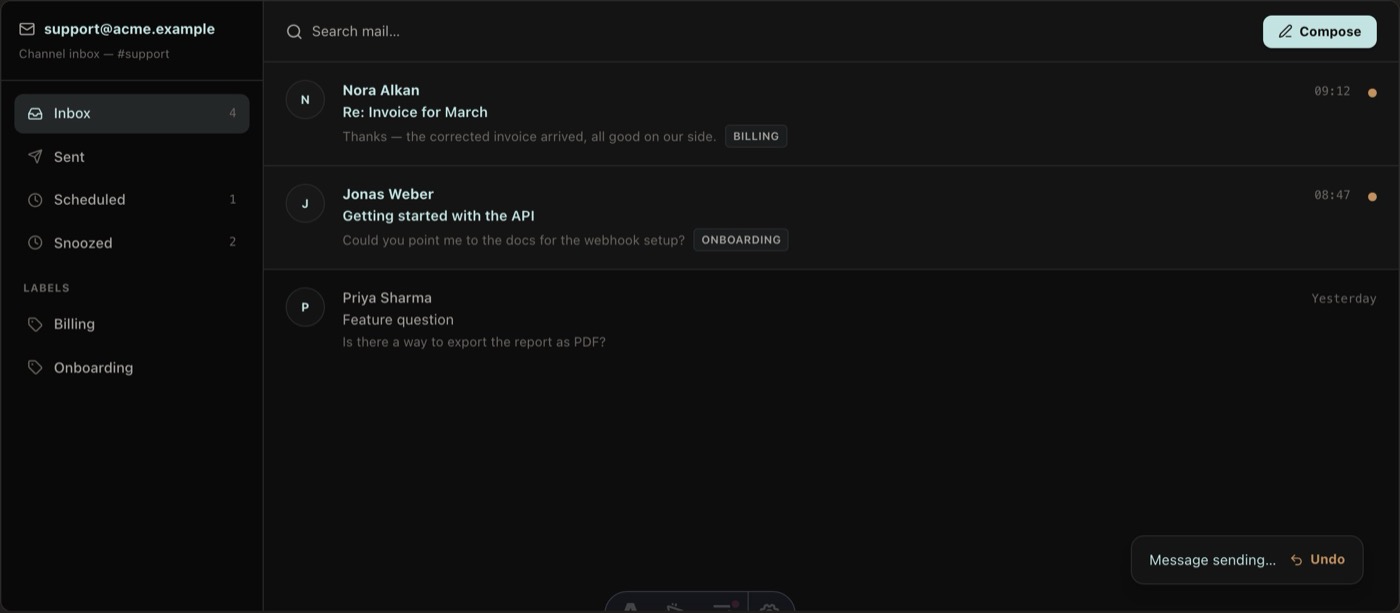
The redesign starts with composing: a pane composer opens beside the message you are reading, so replying no longer means losing the thread you are replying to. Undo send gives you a window to catch the typo after the click. Search filter pills narrow a busy mailbox by sender, folder or state in a keystroke or two, and resizable columns let the list, the reading pane and the folders take exactly the space you want.
The second half of the release reaches outward. Connect an existing address over IMAP and that mailbox appears inside Polybase alongside your workspace mail — no migration project, no forwarding rules. Internal and external mail route through the same inbox, with the threading, labels, rules, snooze and scheduled send you would expect from a dedicated client.
Because that inbox lives inside the workspace, mail stops being a silo: a customer email can become a task or a channel discussion without forwarding it anywhere. And on a self-hosted instance, the mailboxes themselves live on your servers — part of the same sovereign deployment as the rest of your work.
- Pane composer — write a reply without leaving the message you are reading
- Undo send, plus scheduled send, snooze, labels and rules
- Search filter pills and resizable columns for fast triage
- Connect existing external mailboxes over IMAP
- Internal and external mail in one inbox, next to Chat and Tasks