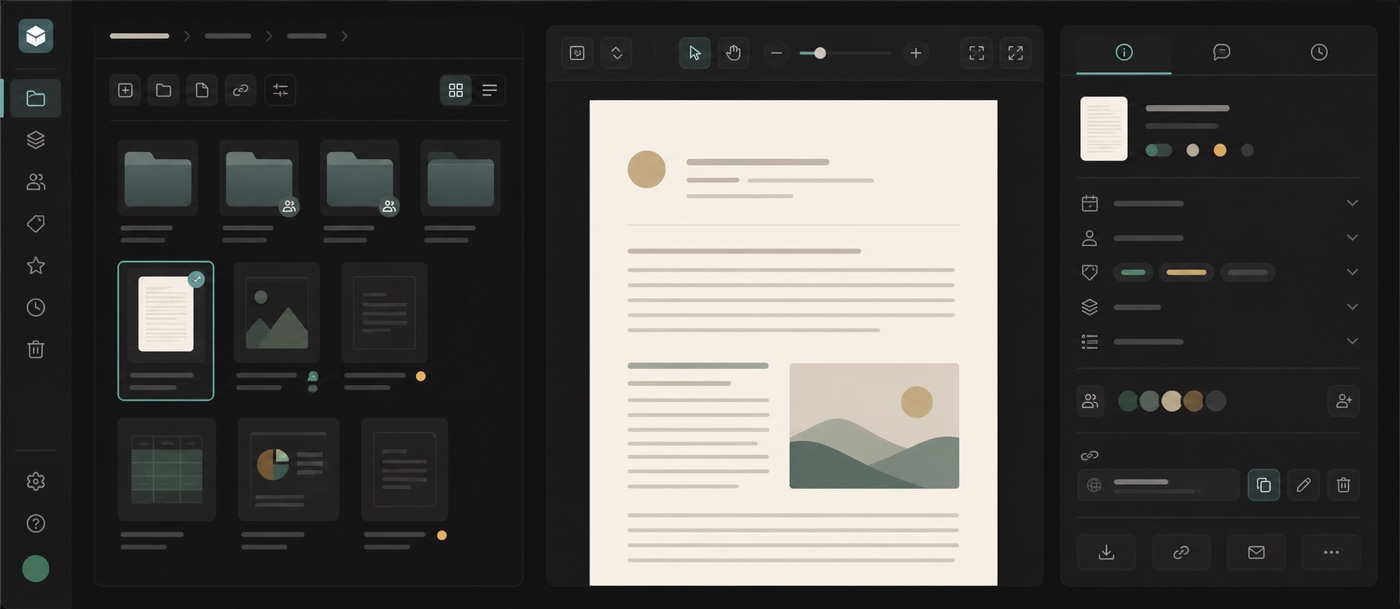
Drive now keeps the full document journey in one drill-down workspace. Folders, files and previews open in the same explorer, with breadcrumbs, grid and list layouts, and thumbnails that make the next item easier to recognise.
Selecting a document opens an inspector beside it instead of taking the surrounding context away. The panel brings together its preview, file details, channel and people access, and linked table fields. Folder inspectors show their contents alongside connected workflows and table bindings, so the structure around a file is visible too.
Downloads and share links also stay close to the selected item. Teams can review active links and their status, open or revoke a link, and choose the right download format without moving through a separate chain of dialogs. On smaller screens, the same flow uses a compact navigation pattern and keeps document menus inside the viewport.
- One drill-down workspace for folders, files and previews
- Grid and list layouts with breadcrumbs and file thumbnails
- Document metadata, access and linked fields in one inspector
- Folder details with connected workflows and table bindings
- Share-link and download controls beside the selected item